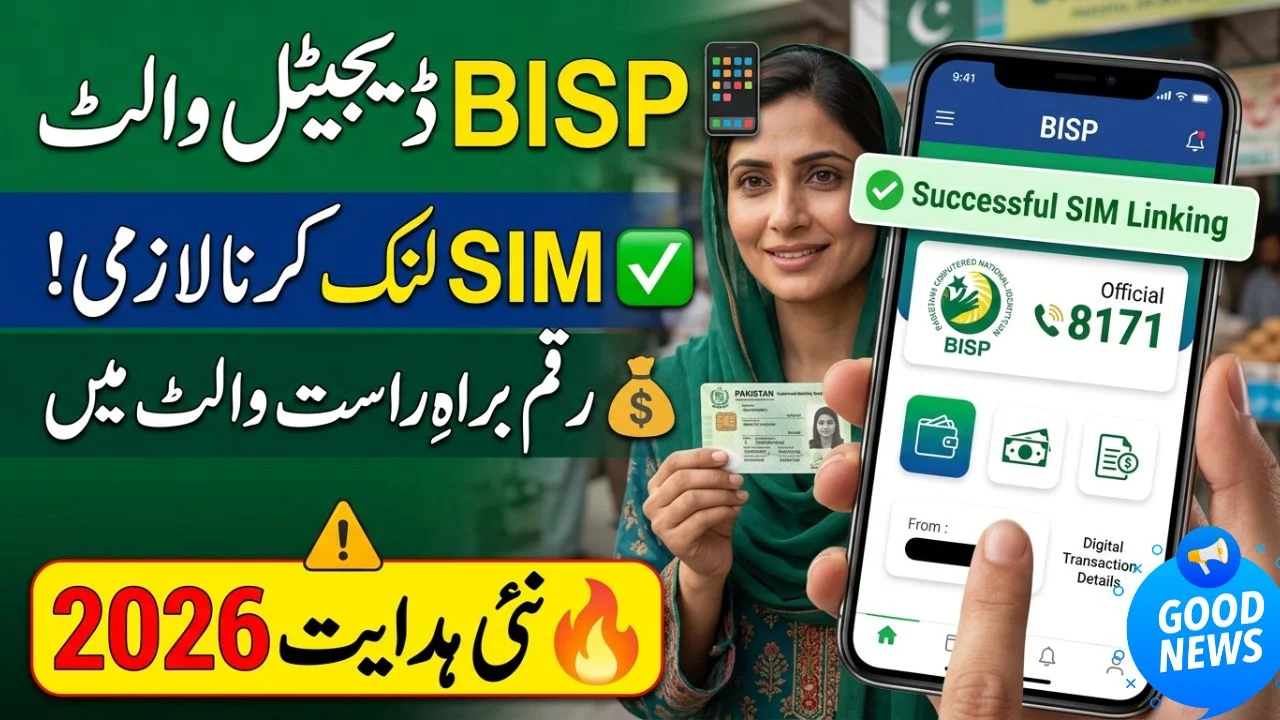
Your BISP Digital Wallet
The Benazir Income Support Programme (BISP) is transforming the way beneficiaries receive financial assistance. Instead of waiting in long queues or dealing with payment agents, many recipients are gradually moving toward digital wallet-based payments.
If you’ve heard about the BISP Digital Wallet system and are wondering how to connect your mobile SIM to your wallet, you’re in the right place. This guide explains the process in simple language, highlights common mistakes, and helps you complete verification without unnecessary delays.
Understanding the BISP Digital Wallet System
The BISP Digital Wallet is designed to make payments faster, safer, and more transparent. Beneficiaries can receive funds directly into a verified digital account linked to their CNIC and mobile number.
The goal is simple: reduce fraud, eliminate middlemen, and ensure payments reach the right person.
Why BISP Is Moving Toward Digital Payments
Digital payments offer several advantages:
- Faster transfer of funds
- Improved payment security
- Reduced dependency on cash centers
- Better transaction tracking
- Lower risk of unauthorized deductions
For beneficiaries, this means more control over their financial assistance.
Why Your Mobile SIM Matters
Your mobile SIM acts as a verification tool. The number registered in your name helps confirm your identity and secures your BISP Digital Wallet.
Without a verified SIM linked to your CNIC, wallet activation may be delayed or rejected.
Eligibility Requirements Before Linking Your SIM
Before starting the process, ensure you meet the following conditions.
CNIC Must Be Valid
Your Computerized National Identity Card should be active and valid. Expired CNICs often create verification issues..
offichal website ; https://8171.bisp.gov.pk/
SIM Must Be Registered in Your Name
One of the most common problems occurs when beneficiaries use a family member’s SIM.
For successful wallet verification:
- The SIM must be registered against your CNIC.
- Your mobile number should remain active.
- Biometric records should match NADRA data.
Active BISP Beneficiary Status
Only eligible and registered BISP beneficiaries can access digital payment services.
If you’re unsure about your status, verify it through the official BISP channels before proceeding.
Step-by-Step Process to Link Your Mobile SIM to Your BISP Digital Wallet
The linking process is straightforward when your records are up to date.
Step 1: Verify SIM Ownership
Visit your mobile network franchise or service center.
Confirm that:
- The SIM is registered in your name.
- Your CNIC details are accurate.
- Your biometric record is updated.
Step 2: Complete BISP Verification
Ensure your information matches across all databases:
- CNIC information
- Mobile number records
- BISP beneficiary profile
Even a small mismatch can cause delays.
Step 3: Receive Wallet Registration Notification
Once your records are verified, you may receive an SMS regarding wallet activation or payment enrollment.
Always check messages from official sources only.
Step 4: Activate Your Digital Wallet
Depending on the payment partner assigned in your area, you may need to complete additional verification through a digital payment provider.
The activation process usually includes:
- Identity verification
- Mobile number confirmation
- Biometric authentication if required
Step 5: Confirm Successful Linking
After activation, you should receive confirmation that your wallet has been successfully connected to your registered mobile number.
Keep the confirmation SMS for future reference.

Benefits of Linking Your SIM to a BISP Digital Wallet
The shift to digital payments offers practical advantages for beneficiaries.
Faster Access to Payments
Funds can be transferred directly into your wallet, reducing waiting times at payment camps.
Better Security
A verified SIM provides an additional layer of protection against fraud and unauthorized withdrawals.
Greater Convenience
Beneficiaries can check balances, receive alerts, and manage transactions more efficiently.
Common Problems During SIM Linking and Their Solutions
Many beneficiaries face avoidable issues during registration.
SIM Is Not Registered Under Your CNIC
This is the most common reason for verification failure.
Solution
Visit your mobile operator’s franchise and register a SIM in your own name.
CNIC Information Does Not Match
Differences between NADRA records and BISP records can trigger verification errors.
Solution
Update your information through the relevant authorities before attempting registration again.
Biometric Verification Failure
Fingerprint verification may fail due to outdated records or technical issues.
Solution
Visit the nearest NADRA office to update biometric information.
Mobile Number Is Inactive
Inactive numbers cannot receive verification messages.
Solution
Reactivate the number or register a new SIM under your CNIC.
How to Keep Your BISP Digital Wallet Secure
Digital payments are convenient, but security should always come first.
Never Share Verification Codes
OTP codes and verification messages should remain private.
Avoid Unauthorized Agents
Only use official BISP channels and approved payment providers.
Keep Your SIM Active
An inactive SIM may cause payment interruptions and account access issues.
Update Information Promptly
Whenever your mobile number changes, update the relevant records immediately.
People Also Ask
Can I Link a Family Member’s SIM to My BISP Digital Wallet?
No. The SIM should generally be registered in the beneficiary’s own name to complete identity verification successfully.
How Long Does SIM Linking Take?
The process may vary depending on verification requirements, but most cases are completed once CNIC, SIM, and beneficiary records match.
What Happens If My SIM Is Lost?
Contact your mobile operator immediately, block the old SIM, and obtain a replacement registered under the same CNIC.
Can I Receive BISP Payments Without a Verified SIM?
Future digital payment systems increasingly rely on verified mobile numbers, making SIM verification highly important.
Will I Need Biometric Verification?
In many cases, biometric verification is required to confirm beneficiary identity and prevent fraud.
Is There Any Fee for Linking a SIM?
Official registration and verification processes are generally provided through authorized channels. Always avoid unofficial agents demanding extra charges.
Expert Insights on BISP Digital Payments
Financial inclusion experts widely recognize digital wallets as one of the most effective tools for delivering government assistance. Countries that adopt secure digital payment systems often see lower fraud rates and faster benefit distribution.
Pakistan’s move toward digital disbursement aligns with international best practices used in social protection programs worldwide. By linking a verified SIM to a digital wallet, beneficiaries gain improved access, stronger security, and greater transparency.
From a practical perspective, beneficiaries who keep their CNIC, biometric records, and mobile registration updated typically experience fewer payment disruptions.
Final Thoughts
The process of linking your mobile SIM to your BISP Digital Wallet is primarily about identity verification and payment security. When your SIM, CNIC, and BISP records match, wallet activation becomes much smoother.
If you’re preparing for future BISP digital payments, start by confirming that your SIM is registered in your own name and that all personal information is up to date. Taking these simple steps now can help prevent delays when payments are released.
Frequently Asked Questions (FAQs)
1. Why does BISP require a registered mobile SIM?
BISP uses registered mobile numbers to verify beneficiary identity and secure digital transactions.
2. Can I change my linked mobile number later?
Yes, but you should update your records through the relevant authorities and payment provider.
3. What documents are needed for verification?
Typically, a valid CNIC and a SIM registered in your name are required.
4. How can I check whether my SIM is registered under my CNIC?
You can verify this through your mobile network operator’s official channels.
5. Is biometric verification mandatory?
Many payment systems require biometric verification to ensure secure fund distribution.
6. What should I do if I don’t receive verification messages?
Check whether your SIM is active and correctly registered under your CNIC.
7. Can multiple BISP accounts use the same SIM?
No. Verification systems generally require a unique and properly registered mobile number.